Reports
Create block-based experiment writeups with live panels, share links, and Markdown export.
Turn dashboard context into persisted report documents for experiment recaps, ablation notes, checkpoint decisions, launch notes, sweep summaries, and teammate handoffs.
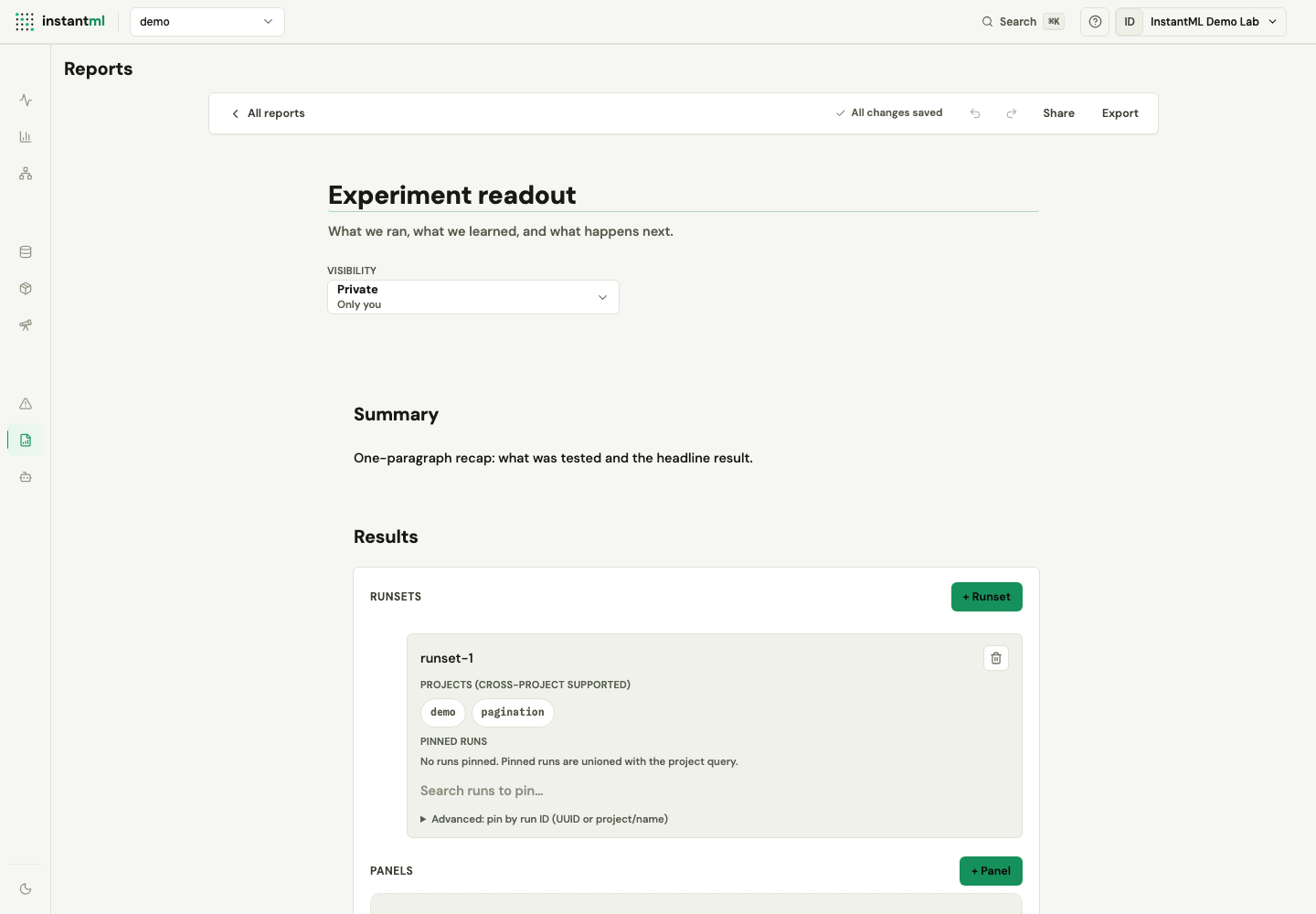
Create a report
Open the Reports tab and use either create button:
- Start from template creates a report from the "Experiment readout" template, a prefilled starter document for a standard experiment writeup.
- New report creates a blank report.
Both open the editor at /dashboard/reports/{report_id}. Creating and editing reports requires workspace write access; viewers can read reports but not change them.
The Reports list shows every report visible to the active workspace.
Build with blocks
Reports are block-based documents. Current block types include:
- Headings, paragraphs, markdown, code, horizontal rules, and callouts.
- Images.
- Panel grids with live metric charts, scalar panels, run comparers, markdown, code, and image panels.
Edit with auto-save
The editor auto-saves title, description, visibility, and block changes through the reports API. The toolbar shows save state, undo/redo controls, share, and Markdown export.
Choose visibility
Use the visibility selector to choose the audience:
| Visibility | Who can see it |
|---|---|
| Private | Only you |
| Organization | Your team — everyone in the workspace |
| Public | Anyone with the link |
Share and export
The Share action creates or rotates a share token and exposes a public /r/... link. Export opens a Markdown response for review, archives, or follow-up analysis outside InstantML.
Choose between reports and saved views
Saved workspace views preserve dashboard layout and filters from Runs. Reports are separate persisted documents. Use saved views for repeatable dashboard state, and use reports when the result needs narrative context, charts, evidence, and a shareable readout.