Checkpoints
Inspect checkpoint artifacts, fork child runs, and trace lineage from Run Detail.
Find, fork, and resume checkpoints for the selected run without leaving Run Detail.
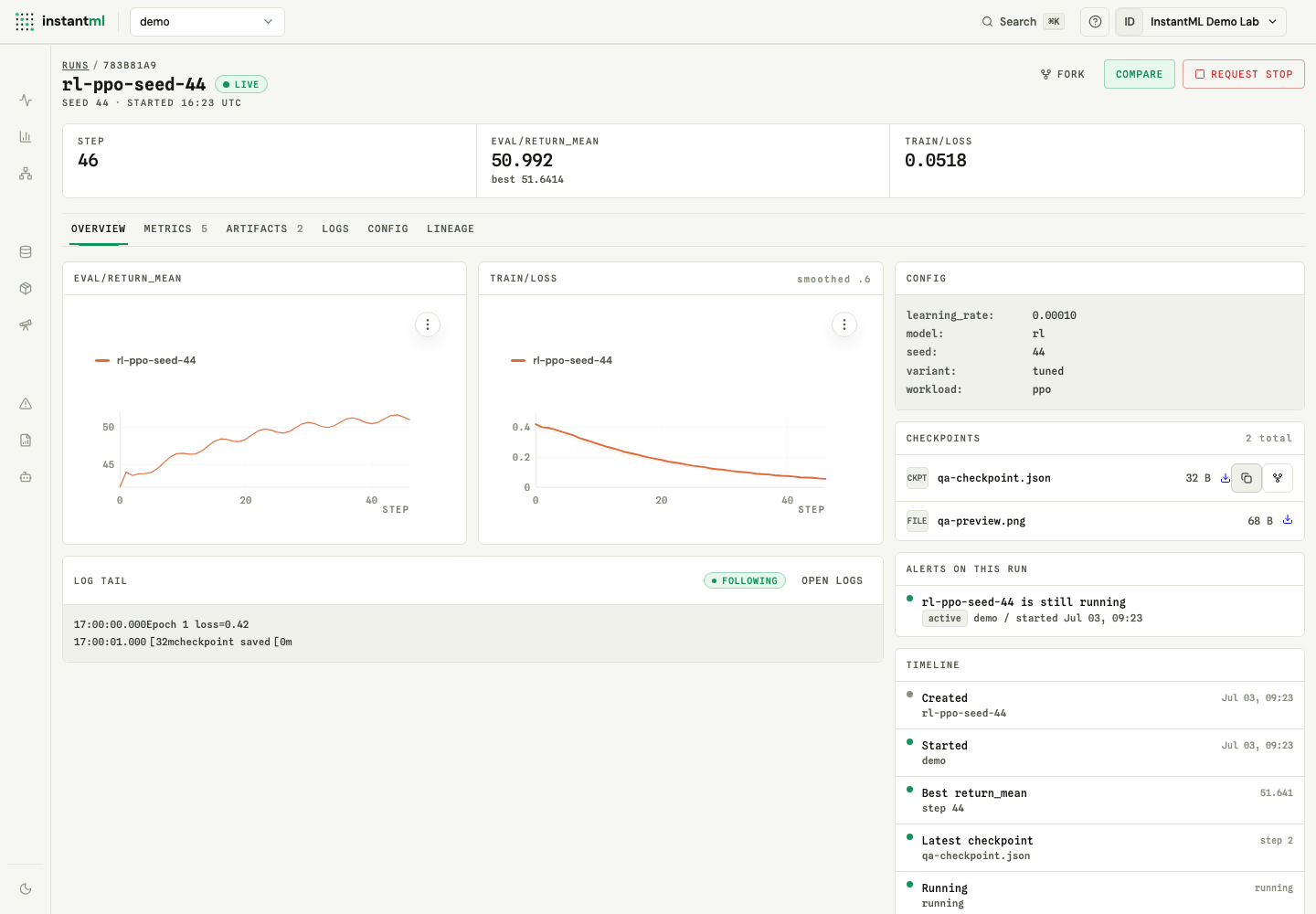
The Run Detail Overview tab lists stored checkpoint artifacts alongside the run's model context.
Find checkpoints in Run Detail
- The Overview tab shows stored checkpoint artifacts with Download, Resume Code, and Fork actions, plus model context for the selected run.
- The Lineage tab shows parent, selected run, checkpoint, and direct child context.
Fork a checkpoint
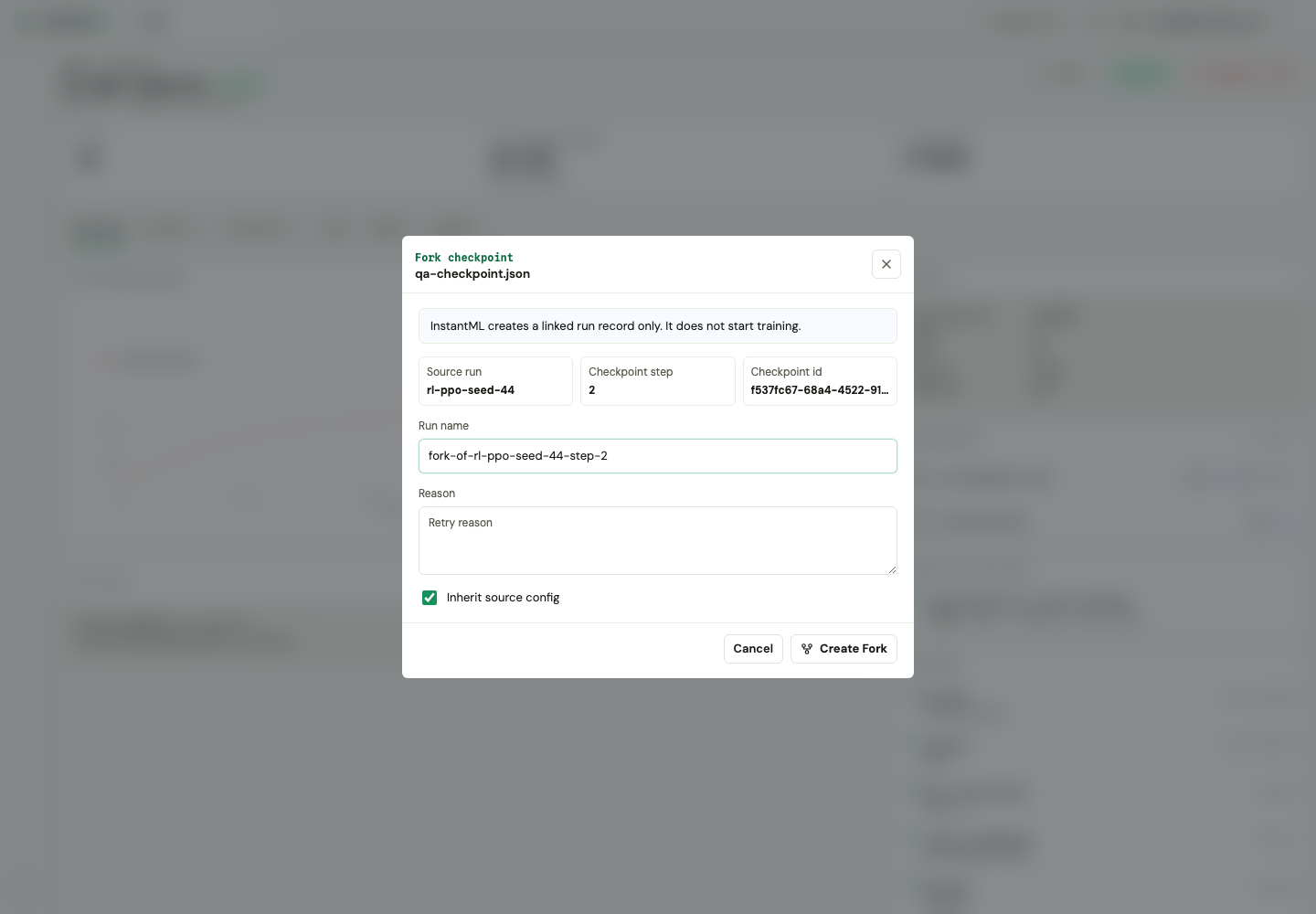
Fork creates a linked child run record from a source run and checkpoint. It does not start training, copy metrics, or copy artifacts. The linked child run is ready for the SDK to attach to and continue logging.
The fork modal records:
- Source run.
- Checkpoint artifact.
- Checkpoint step.
- Child run name.
- Optional retry reason.
- Whether the child run should inherit source config.
The dashboard also tags the child run as a forked checkpoint retry and stores the retry reason in metadata. The API and SDK can accept additional fork fields such as tags, notes, metadata, and config overrides, but the current dashboard modal exposes only name, reason, and config inheritance.
After creation, the dashboard selects the forked child run and opens its Run Detail Lineage tab.
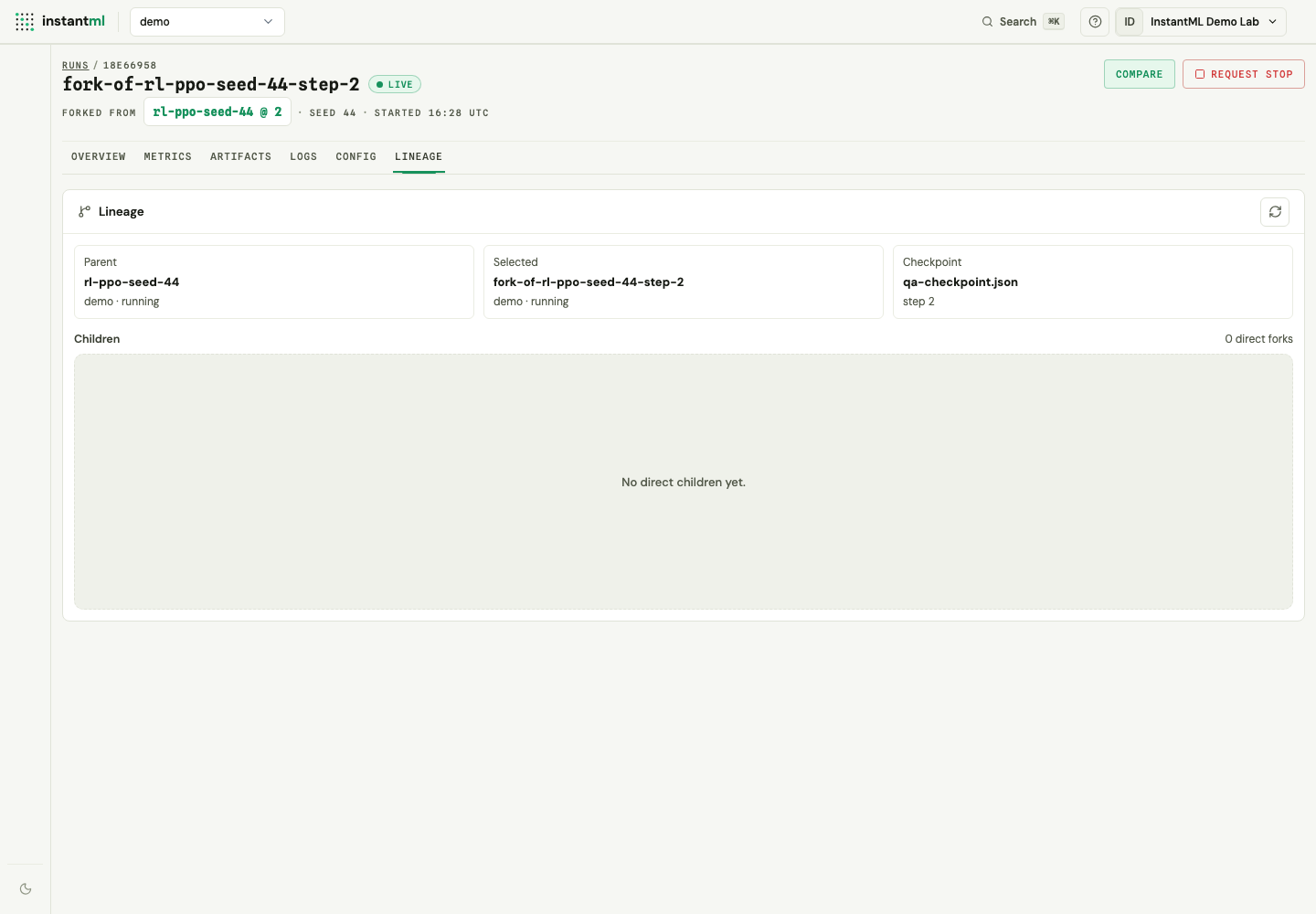
The lineage panel reads a direct graph limited to immediate relationships. For a fresh fork it shows the selected child, its parent run, the checkpoint artifact that produced it, and an empty direct-children region until runs fork from the child in turn.
Log checkpoint bytes
import instantml as im

policy = im.CheckpointPolicy(every_steps=1000)

if policy.should_save(step):
    run.log_checkpoint_file(
        "checkpoints/policy.pt",
        step=step,
        metadata={"framework": "pytorch"},
    )
Metadata-only checkpoints are also supported:
run.log_checkpoint(
    name="policy-step-1000",
    uri="s3://team-bucket/checkpoints/policy.pt",
    step=1000,
)
Stored bytes can be downloaded through the artifact download route. External URI checkpoints remain provenance records.
Continue from a fork
The dashboard's Resume Code button copies a restore snippet to the clipboard. For automation, use the Python API helper to create a fork and then attach logging to the child run:
import instantml as im

api = im.Api()
child = api.fork_run(
    "source-run-id",
    checkpoint_artifact_id="artifact-id",
    step=1000,
    name="retry-from-step-1000",
    tags=["retry", "checkpoint"],
)

run = im.attach_run(child["id"])
run.log({"train/loss": 0.1}, step=1001)
run.finish()
Api.fork_run(...) sends a stable idempotency key by default, so retrying the same request does not create duplicate child runs.