Artifacts, files, and media
Browse versioned artifact collections, inspect run files and media previews, and trace checkpoint lineage.
Connect metric behavior to the files a run produced — uploaded files, external references, checkpoints, rollouts, versioned model collections, and rich objects like tables and histograms.
Browse artifact collections
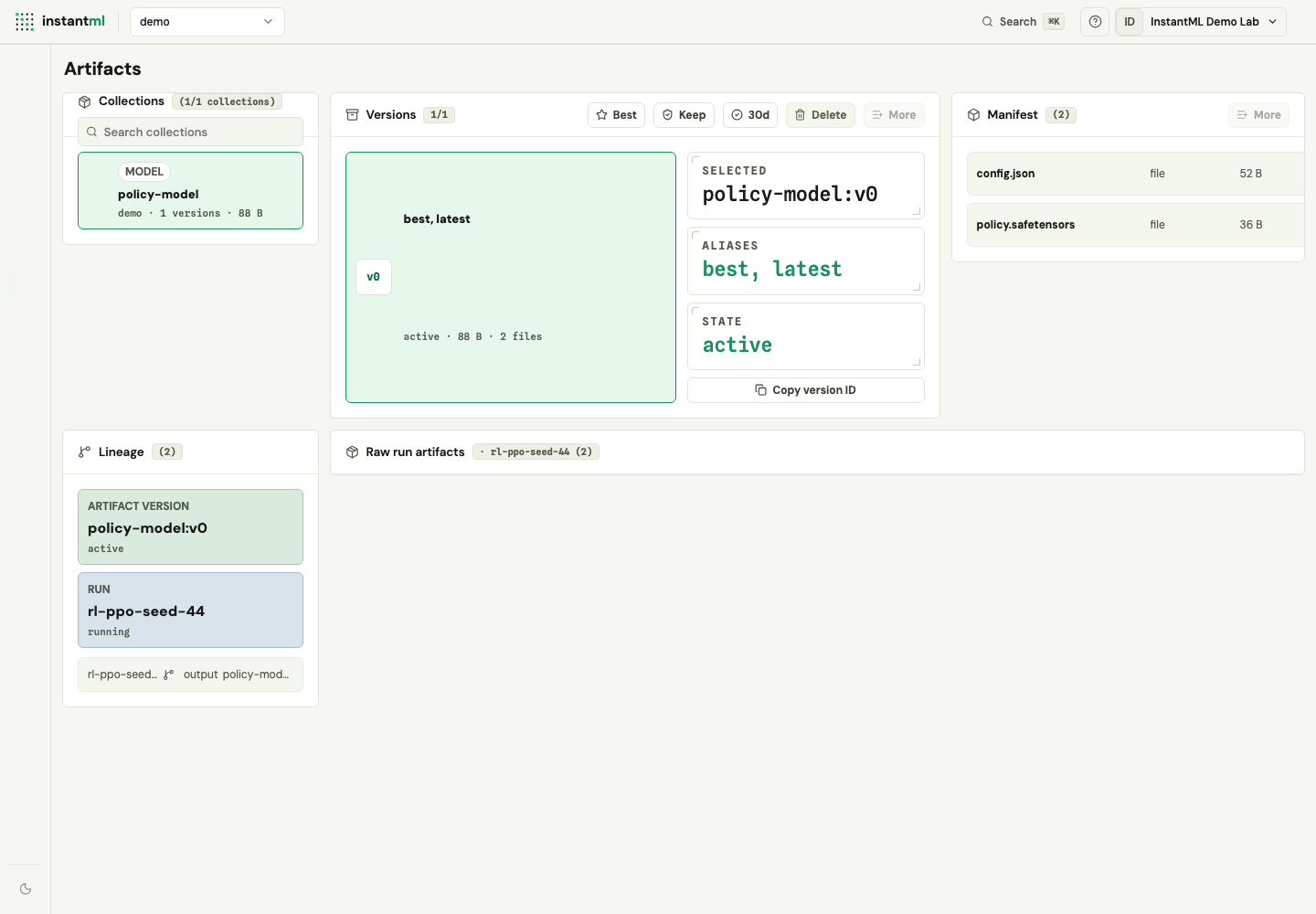
The Artifacts tab starts with versioned artifact collections for the active project. The workflow is: choose a collection, inspect its versions, then open the manifest and lineage for the selected version.
Each collection shows versions with stable vN labels, an automatic latest alias, custom aliases such as best, byte and file counts, retention state, and soft-delete state. Selecting a version shows its manifest and a lineage view of the runs that produced and consumed it.
Versioned artifacts can represent:
- Uploaded files.
- External file references.
- Checkpoints.
- Rollouts.
Owners and admins can move the best alias, keep a version forever, apply a 30-day retention window, or soft-delete a version after an explicit confirmation prompt with an audit reason. Read-only users see the same information with management controls disabled.
Inspect run files in Run Detail
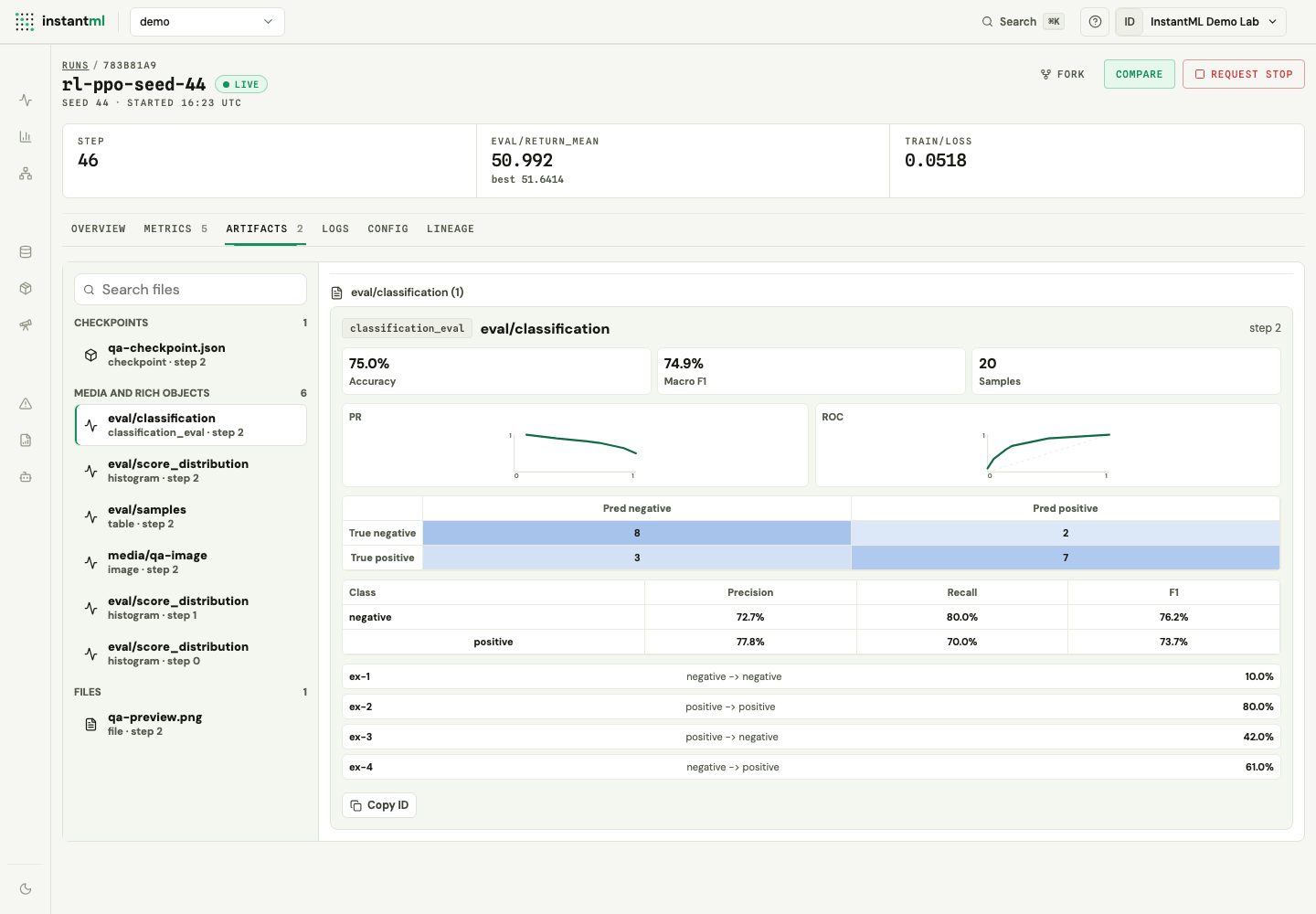
Run Detail includes an Artifacts tab for the selected run. It groups checkpoints, media and rich objects, and files, then opens a preview next to the list.
The Artifacts tab previews:
- Tables with capped rows and columns.
- Histograms.
- Binary classification evaluation bundles with PR/ROC curves, confusion matrices, per-class metrics, and optional prediction previews.
- Image, audio, and video artifacts when bytes are stored through InstantML.
- Artifact metadata for checkpoints, uploaded files, rollout files, and external references.
- Copyable object or artifact IDs for SDK/API follow-up work.
Hidden Run Detail sections do not fetch object manifests until opened, so the normal metric summary path stays lightweight.
Work with raw run artifacts
Versioned collections are the primary Artifacts tab workflow. Legacy raw run artifacts remain available so existing file/media, rich-object, checkpoint, and importer workflows keep their old IDs and Run Detail behavior.
Imported external artifact references are also mirrored into metadata-only versioned run-level bundles. This lets migrated W&B, Neptune, and MLflow artifacts appear in the catalog and lineage graph without copying bytes into InstantML storage.
Preview media safely
Image, audio, and video artifacts preview in Run Detail and Compare when their bytes are stored through InstantML. Unsupported or external-only artifacts fall back to metadata, copy, or unavailable-download actions.
Stored bytes are served through /api/artifacts/{artifact_id}/download. Public artifact rows expose opaque InstantML URIs rather than raw object-store URLs.
Rich media objects can link to artifact bytes from the same run. Metadata-only objects and artifacts remain inspectable, but they cannot be downloaded through the same-origin route until bytes are uploaded to InstantML.
Fork from a checkpoint
Checkpoint artifacts appear in Run Detail on the Overview and Lineage tabs. They can carry restore metadata such as source run and step. When checkpoint bytes are stored through the API, downloads go through the same-origin artifact download route.
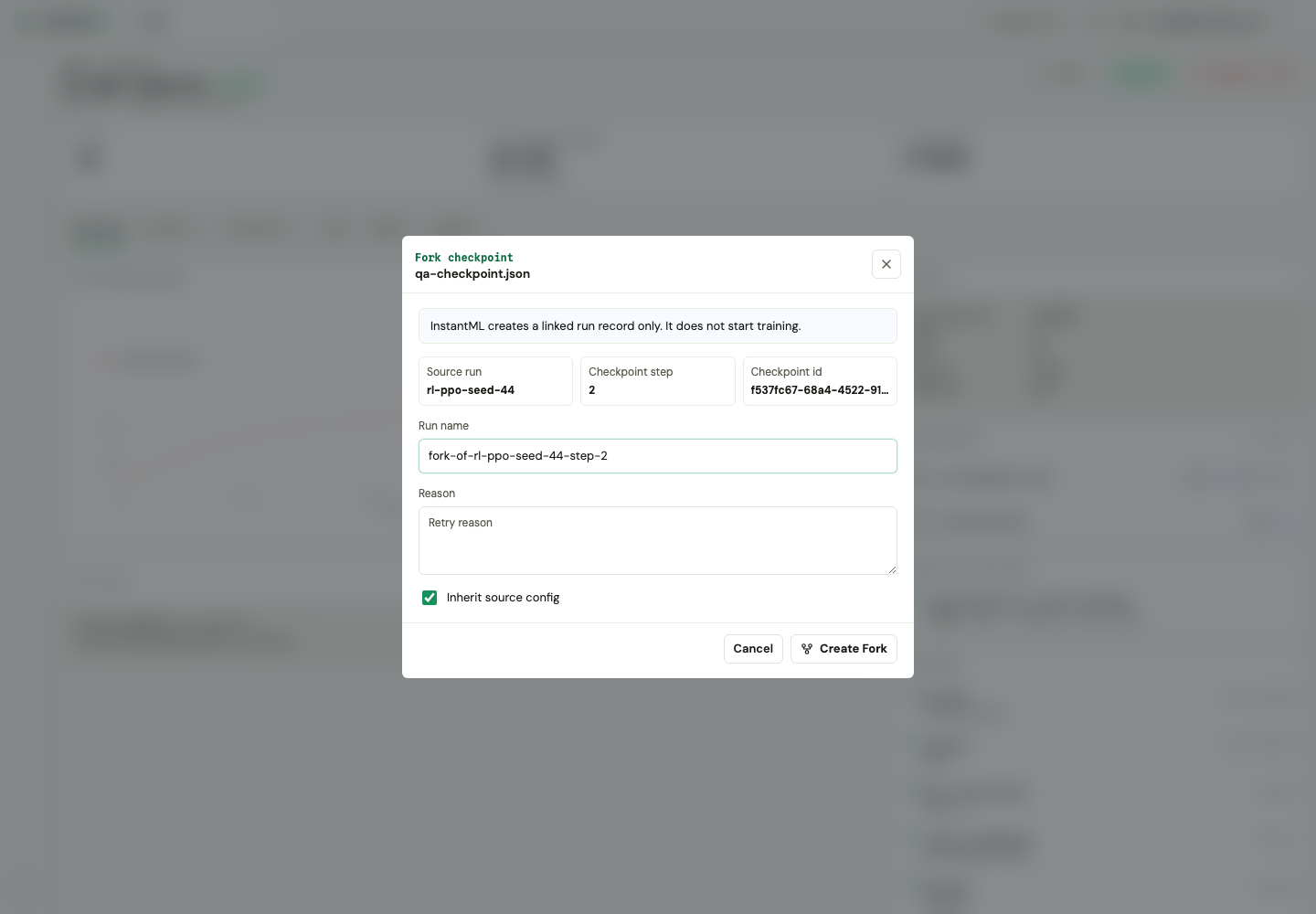
Forking a checkpoint creates a linked child run record in the same project. It records provenance and can inherit the source config, but it does not start training or copy metrics or artifacts. Attach the SDK to the new child run from the training script that resumes the checkpoint.
Trace checkpoint lineage
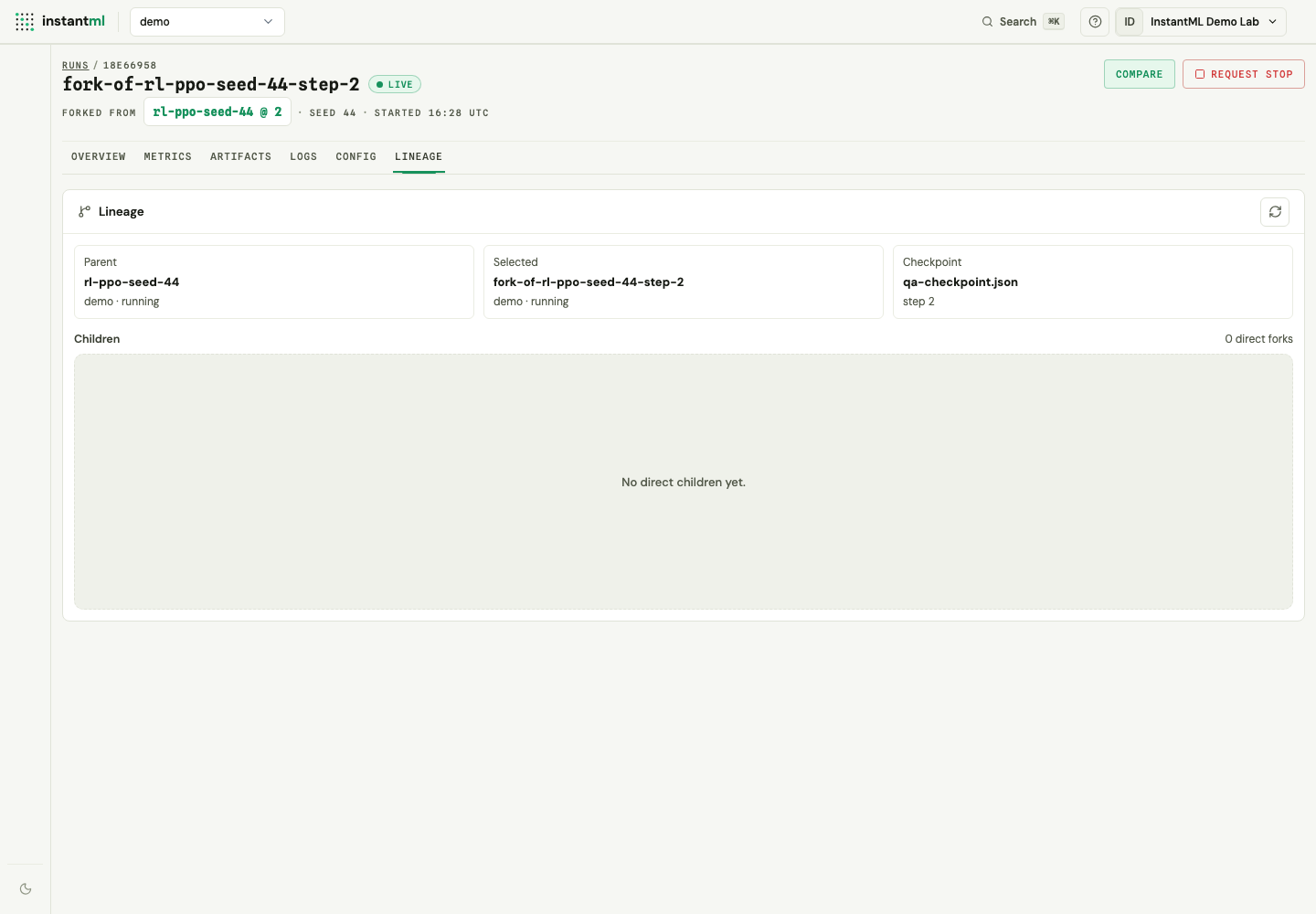
Run Detail's Lineage tab gives the selected run a lineage-first view: the parent run, the source checkpoint's name and step, and a table of direct children. Use it to confirm where a run came from and which forks already exist before resuming an experiment. The full checkpoint URI is shown in the Overview tab's checkpoint rows.
Fetch artifacts through the API
The Artifacts tab exposes copyable artifact IDs and safe download states. Use the Artifacts API when you need to fetch artifact bytes or inspect API behavior without digging through browser network panels.