Iframe run embeds
Create short-lived read-only iframe charts for selected runs.
Place a focused, interactive InstantML run board inside an internal portal, notebook, wiki, or review page without loading the full dashboard.
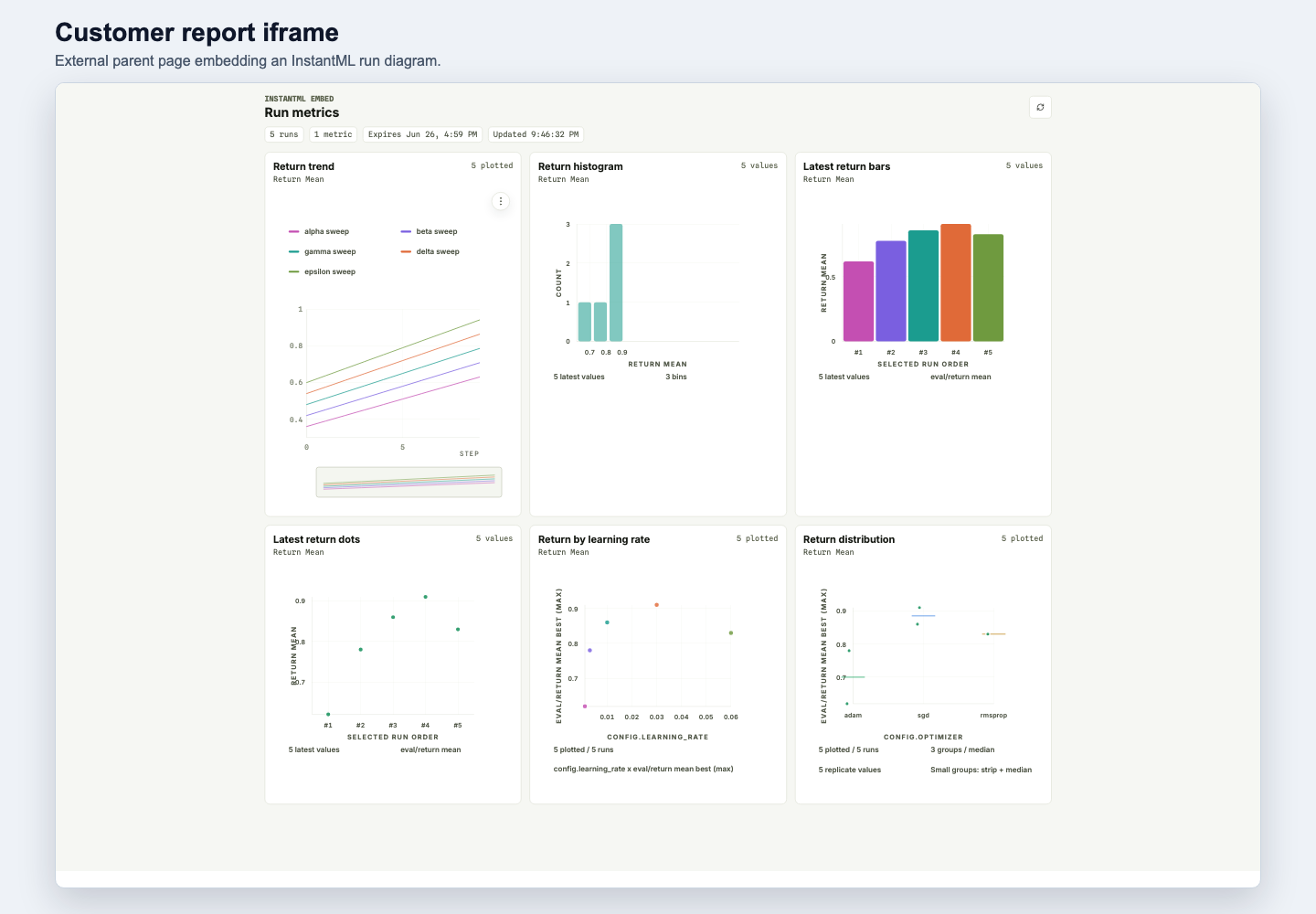
Embeds are intentionally short-lived and server-created. Your backend passes explicit run IDs, one allowed parent origin, and an InstantML API key with export:read. InstantML returns a copy-once iframe URL whose fragment contains the embed bearer token.
Create an embed session
curl -X POST https://api.instantml.ai/api/embed/sessions \
  -H "Authorization: Bearer instantml_..." \
  -H "Content-Type: application/json" \
  -d '{
    "run_ids": [
      "4d14b2ea-7f49-4c7b-8d38-bb8437b5b029",
      "767f8f0e-2d72-4ff8-b5be-01d06c93d265"
    ],
    "allowed_parent_origin": "https://portal.example.com",
    "ttl_seconds": 900,
    "options": {
      "max_panels": 8,
      "metric_point_limit": 500,
      "theme": "system"
    }
  }'
The response includes:
{
  "embed_session": {
    "id": "86d2c75c-0c88-4d7c-8711-e461a77d4edc",
    "expires_at": "2026-06-25T21:45:00Z",
    "allowed_parent_origin": "https://portal.example.com",
    "run_count": 2,
    "iframe_src": "https://instantml.ai/embed/runs/86d2c75c-0c88-4d7c-8711-e461a77d4edc#token=instantml_embed_..."
  },
  "embed_token": "instantml_embed_..."
}Add the iframe
Render the returned iframe_src from the exact origin you passed as allowed_parent_origin:
<iframe
  src="https://instantml.ai/embed/runs/86d2c75c-0c88-4d7c-8711-e461a77d4edc#token=instantml_embed_..."
  title="InstantML run metrics"
  sandbox="allow-scripts allow-same-origin"
  referrerpolicy="no-referrer"
  width="100%"
  height="640"
></iframe>
The embed page removes the fragment token from browser history before it makes API calls. Data requests use embed-only routes, omit browser credentials, and return bounded chart data only for the selected run IDs.
Know what renders
The generated embed board reuses the Runs workspace's bounded chart projection. It can render:
- Line charts for metric trends, with smoothing, range zoom, y-axis controls, legends, and hover inspection.
- Latest-value bar charts, dot plots, and value histograms across the embedded run set.
- Scatter plots and grouped distributions when the generated panel includes bounded field specs.
Logged histogram timelines, rank/distributed heatmaps, table/media panels, and chart exports are not available in iframes yet. Embeds are intentionally inspection-only: viewers can hover, zoom line charts, and refresh the data, but they cannot mutate dashboards or download plotted data from the iframe.
Respect limits and security rules
- API key: must be an API key, not a browser session, and must include
export:read. - Run access: project-scoped keys can embed only runs in the scoped project.
- Parent origin: must match one exact origin. Hosted embeds require HTTPS and reject wildcards, path/query strings, credentials, and InstantML-owned app/API origins.
- TTL: defaults to 15 minutes and is capped at 60 minutes.
- Size caps: up to 100 runs, 8 panels, and 500 points per run/series in v1. Create-time
options.max_panelsandoptions.metric_point_limitare caps; iframe data requests can narrow them but cannot widen them. - Headers: non-embed InstantML pages keep anti-framing headers. The embed route emits a per-session
frame-ancestorspolicy for the approved parent origin. - Actions: embeds are read-only. Dashboard navigation, saved-view edits, run-stop controls, artifact downloads, and plotted CSV/SVG exports are not available inside the iframe.
Debug failure states
Unknown sessions fail closed and cannot be framed. Known expired or disabled sessions can still frame only on the stored parent origin so viewers see a clear no-data state instead of a blank parent page. Data APIs continue to reject expired, revoked, or source-key-invalid sessions.
If the iframe does not render, check:
- The parent page origin exactly matches
allowed_parent_origin. - The iframe
srcstill contains the fragment token on first load. - The embed session has not expired.
- The source API key still exists, is not revoked, and still has
export:read. - Your backend did not place the token in a query string or server-side log.